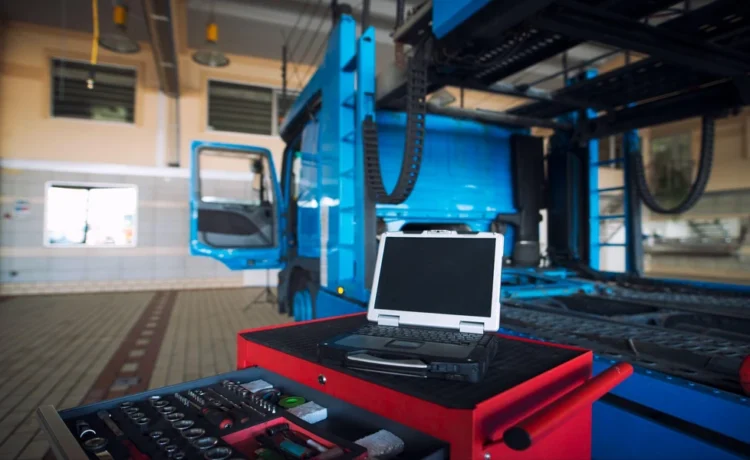
Not every computer that runs factory software is actually built to survive on a factory floor for years at a time. A properly specified industrial PC is designed from the ground up for the demands of a manufacturing environment, rather than simply being a standard computer placed in an industrial setting.
Built to Withstand Harsh Environmental Conditions
Factory environments expose equipment to conditions that standard computers simply weren’t designed to handle.
- Wide operating temperature ranges that accommodate both hot machinery areas and cold storage environments.
- Resistance to dust, vibration and humidity, which are common in most industrial settings.
- Sealed or ruggedised enclosures that protect internal components from environmental exposure.
Designed for Extended Product Lifecycles
Unlike consumer electronics, industrial deployments often need hardware to remain consistent and supported for many years.
- Long-term availability of identical hardware components, avoiding frequent, disruptive replacements.
- Extended manufacturer support windows, often spanning several years longer than typical consumer products.
- Predictable firmware and driver support that doesn’t force unwanted changes mid-deployment.
Supporting Reliable Industrial Communications
An industrial PC needs to integrate smoothly with the specific communication standards used throughout a facility.
- Support for common industrial protocols used to communicate with PLCs, sensors and other equipment.
- Multiple, reliable connectivity options suited to the realities of industrial communications across a factory network.
- Stable performance under continuous, uninterrupted operation rather than occasional consumer-style use.
Reduced Points of Failure Through Solid-State Design
Minimising moving parts significantly improves reliability in environments where downtime is costly.
- Solid-state storage instead of traditional spinning hard drives, reducing mechanical failure risk.
- Fanless cooling designs in many models, eliminating a common point of failure in dusty environments.
- Fewer overall components prone to wear, extending the realistic operational lifespan of the unit.
Comparing Industrial PCs With Standard Consumer PCs
| Factor | Industrial PC | Standard Consumer PC |
|---|---|---|
| Operating environment | Built for heat, dust and vibration | Designed for controlled indoor use |
| Lifecycle support | Extended, often several years | Shorter, frequent model changes |
| Communication support | Built-in industrial protocol compatibility | Limited or requires added hardware |
| Component reliability | Solid-state, fewer moving parts | Often includes standard mechanical drives |
This comparison reflects general tendencies, since specific models and manufacturers can vary in their exact specifications.
Questions to Ask Before Selecting an Industrial PC
A few direct questions can help clarify whether a specific unit is genuinely suited to a long-term deployment.
- What is the manufacturer’s guaranteed support and availability window for this specific model?
- What environmental ratings does the unit actually carry, and do they match the deployment location?
- Which industrial communication protocols are natively supported without requiring additional hardware?
- What is the expected mean time between failures, and how does that compare with similar units?
Practical Steps for Planning a Long-Term Deployment
A few practical steps can help ensure the chosen hardware continues to perform reliably over its intended lifespan.
- Confirming spare parts or replacement unit availability well in advance of any potential failure.
- Documenting the exact model and configuration used, so future replacements can be matched precisely.
- Planning for firmware and software updates that won’t disrupt ongoing production during deployment.
- Reviewing environmental conditions periodically, since factory layouts and processes can shift over time.
Common Mistakes When Specifying Industrial Hardware
A few recurring mistakes lead teams to select hardware that looks adequate on paper but underperforms once it’s actually installed.
- Selecting a unit based primarily on price, without weighing the total cost of premature replacement or unplanned downtime.
- Overlooking the specific environmental ratings needed for a particular installation location, such as near heat sources or washdown areas.
- Assuming general-purpose connectivity will be sufficient, rather than confirming support for the protocols already in use on the floor.
- Failing to involve the engineers who will maintain the system when the purchasing decision is actually being made.
Making a Deployment Decision With Confidence
Choosing hardware built specifically for industrial conditions, rather than adapting standard consumer equipment, tends to reduce unexpected downtime and replacement costs significantly over a multi-year deployment. Taking the time upfront to verify environmental ratings, lifecycle support and communication compatibility generally pays off well before the first major failure would have occurred otherwise.
Wondering which industrial PC will actually hold up on your factory floor for years at a time? Reach out to YT Automation and let us help you create a system built specifically for demanding industrial environments.